HubConnect v2 ProBundle Installation
ProBundle versions of HubConnect v2.0 from behind the "free wall" have been released. The difference is that ProBundles don't expose the code — if you need to explore it, it's all available at HubConnect.to.
In most cases, using HPM (Hubitat Package Manager) to add these Bundles to your hub will be simpler. Follow the same logic as below regarding which 2 of 3 bundles HPM installs.
Pick your path — most people need exactly two of these three bundles
Brand new to HubConnect
You've never run HubConnect before. Install both of these on your Hubitat hub.
Adding a second Hubitat hub
You already have Server + Drivers running on hub #1. On the second hub, install these instead.
Home Assistant is your "second hub"
Home Assistant takes the place of a second Hubitat hub, so you won't need the Remote bundle at all — just Server + Drivers here, then head to the HA setup guide.
Need the raw bundle URLs on their own? They're the same three files — Server, Remote, and Universal Drivers — just grouped above by which two you'll actually use.
To install a ProBundle
Open Bundles
Select Bundles from the main menu and click Import Zip in the upper right.
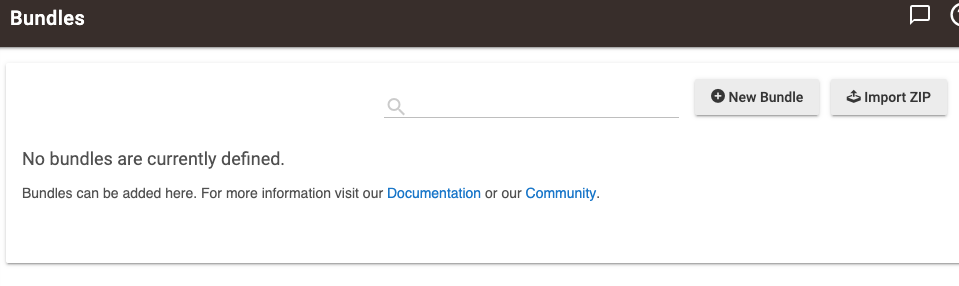 Hubitat — Bundles screen
Import from a URL
Select the Download from a URL tab, check This is a private pro installer bundle, then paste in either the Server bundle URL or the Remote bundle URL above. Click Import.
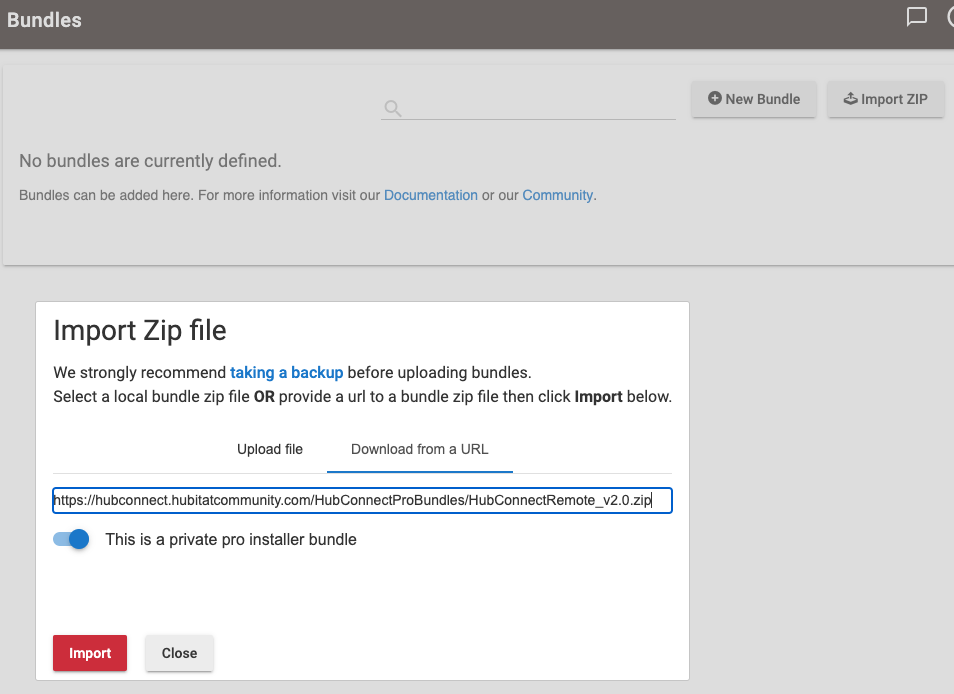 Hubitat — Bundles import screen
Confirm the result
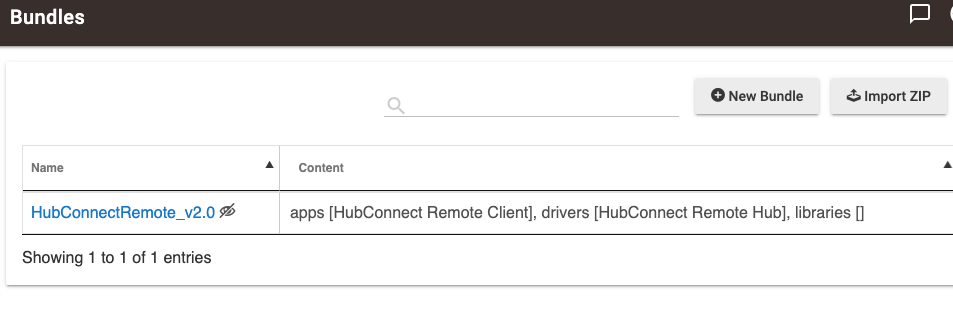 Hubitat — Bundles result screen
UniversalDriver URL, or use Hubitat Package Manager for the Universal Drivers instead.